Resume Arena
Independent directory of resume builders, ATS scanners, and templates
Enhancv
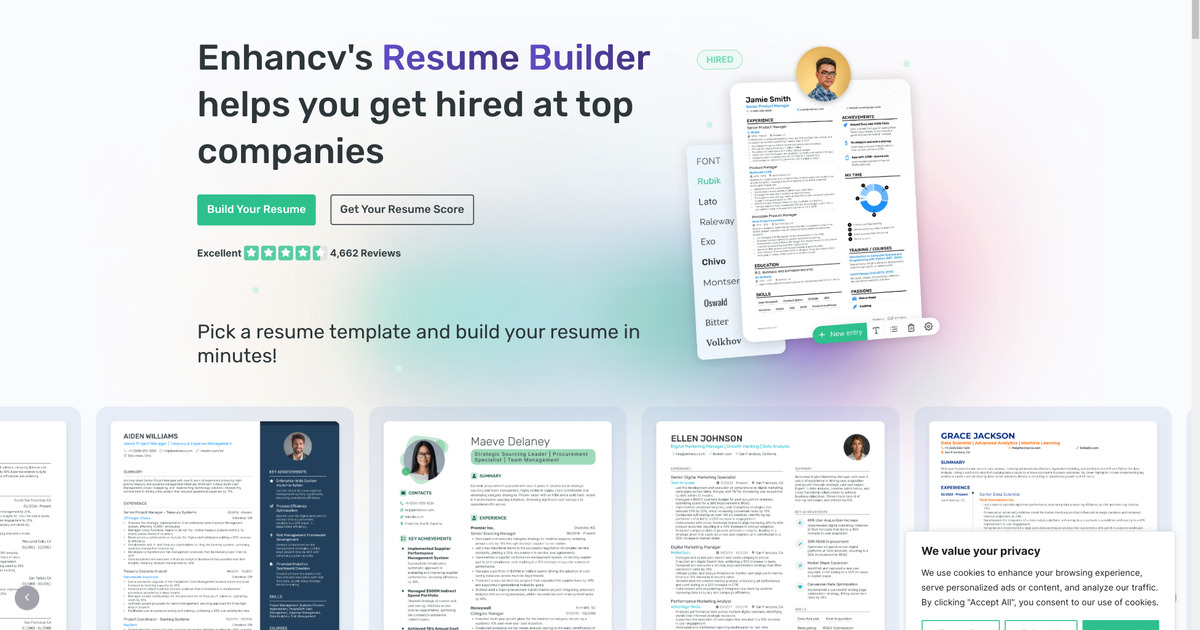
Powerful Resume Builder
Enhancv lets you tailor ATS-friendly resumes, analyze content with analytics, and import data from LinkedIn, all on free or Pro plans.
Features
- Drag-and-drop editor
- ATS checker
- LinkedIn import
- Analytics
Pricing
Starting from $14.99
Pro $19.99/mo; quarterly $16.66/mo; semi-annual $13.33/mo
Last updated: May 2026
Enhancv Review
Enhancv is a design-forward resume builder that still takes ATS compatibility seriously. If you are comparing Enhancv pricing, the free trial, or whether the builder is ATS friendly enough for real job applications, this page covers the practical tradeoffs.
Enhancv Pricing and Free Trial
Enhancv offers a 7-day free trial with full access, but the key limitation is that downloads are locked once the trial ends unless you upgrade. Paid plans start at $19.99 per month, with cheaper effective monthly rates on quarterly and semi-annual options.
Is Enhancv ATS Friendly?
Enhancv uses ATS-tested templates, structured sections, and optimization prompts to keep resumes readable by applicant tracking systems. It is stronger than many design-heavy builders on ATS compatibility, though it is still worth checking the final export against a dedicated scanner like Jobscan for role-specific keyword matching.
Enhancv vs Jobscan
Enhancv and Jobscan solve different problems. Enhancv helps you build and customize the resume, while Jobscan checks ATS alignment and keyword match against a job description. Many job seekers use both in sequence.
Enhancv vs Zety
Enhancv gives you more layout flexibility, more personalization, and a more design-oriented editing experience. Zety is usually faster to start with and easier for users who want more guided writing help and simpler pricing decisions.
Criteria Ratings
1. Core Functionality
AI Capabilities and Content Generation: 4.5/5 Content suggestions, proofreading, skills finder, translation (30+ languages), and one-click tailoring from job descriptions. Bullet point suggestions are useful but sometimes generic — manual editing improves them.
ATS Compatibility and Optimization: 5/5 All templates are ATS-tested. Built-in scanner flags keyword gaps. Users report high pass rates in real applications.
Template Quality and Design Options: 4/5 40+ modern templates covering creative and standard layouts. Limited options for very conservative fields like law or finance.
Customization and Flexibility: 5/5 Drag-and-drop editor with full control over sections, layouts, colors, and fonts. Supports custom blocks like "Strengths" or "Projects." LinkedIn import for quick setup.
2. Usability
Ease of Use and Interface: 5/5 Drag-and-drop with live previews. Most users produce a finished resume in under 30 minutes.
Mobile Compatibility: 3/5 Works in mobile browsers but no dedicated app. Complex layout editing is better on desktop.
3. Value and Pricing
Pricing Transparency and Affordability: 4/5 7-day free trial with full access (no downloads after trial). Pro: $19.99/mo, $16.66/mo quarterly, $13.33/mo semi-annual. No hidden fees.
Overall Value for Money: 4/5 Worth it for frequent users who need multiple resume versions and AI features. Expensive for a single resume — free alternatives may be enough for that.
4. Additional Factors
Customer Support and Resources: 4.5/5 Email and chat support on weekdays. Extensive blog and guides.
Integration Capabilities: 4/5 LinkedIn import and cloud storage. No direct job board integrations.
Accuracy and Reliability: 4/5 AI suggestions are accurate when refined. Minor LinkedIn import glitches reported occasionally.
Security and Privacy: 4.5/5 GDPR compliant, data encryption, no data selling. Users can export or delete their data.
Overall Rating: 4.3/5
Who Should Use Enhancv?
Enhancv is a strong fit for job seekers who want more control over layout and storytelling without giving up ATS-friendly structure. It is especially useful for candidates in competitive roles where presentation matters, but it can be more expensive than simpler builders if you only need one resume quickly.
Enhancv vs Other Resume Builders
- Enhancv vs Jobscan: These tools serve different purposes. Enhancv is a full resume builder focused on design and content; Jobscan is an ATS scanner that scores your resume against a job description. Many job seekers build in Enhancv first, then run the export through Jobscan to catch missing keywords before applying.
- Enhancv vs Zety: Both target job seekers who want more polish than a plain Word template. Zety is cheaper and faster to start; Enhancv offers deeper design control, more section types, and built-in content analytics. Choose Enhancv if you’re optimizing for a competitive role or want to reuse the same resume across multiple tailored versions.
- Enhancv pricing at a glance: Pro is $19.99/month, $16.66/month on the quarterly plan, or $13.33/month on the semi-annual plan. There’s a 7-day free trial with full access, but downloads are locked after it ends without upgrading.
How to Use Enhancv Effectively
- Import your LinkedIn profile to pre-fill experience and skills sections.
- Use the AI bullet-point suggestions to sharpen each role description, then manually adjust for tone.
- Export the resume and run it through an ATS checker like Jobscan to verify keyword coverage for the specific role you’re applying to.
- Use the built-in analytics to compare multiple resume versions if you’re targeting different industries or seniority levels.
Table of Contents
FAQs about Enhancv
- How much does Enhancv cost?
- Enhancv pricing starts around $19.99 per month on the monthly plan, with lower effective monthly pricing on longer subscriptions.
- Does Enhancv have a free trial?
- Yes. Enhancv offers a 7-day free trial with full access, but downloads are restricted once the trial ends unless you upgrade.
- Is Enhancv ATS friendly?
- Yes. Enhancv uses ATS-tested templates and includes built-in optimization features designed to improve parsing and keyword relevance.
- Is Enhancv better than Zety?
- Enhancv offers more design flexibility and customization, while Zety is often faster for guided drafting and simpler export workflows.