Resume Arena
Find the best resume builders, tools, and templates
Canva Resume Builder
Design-Forward, Drag-and-Drop Resumes
Canva’s resume maker leverages its vast design ecosystem so you can customize layouts and graphics or generate content—perfect for creatives needing visual flair.
Features
- Drag-and-drop design
- Thousands of templates
- AI Magic Write
- Media library
Pricing
Starting from Free
Canva Pro $12.99/mo or $119.99/year for premium assets
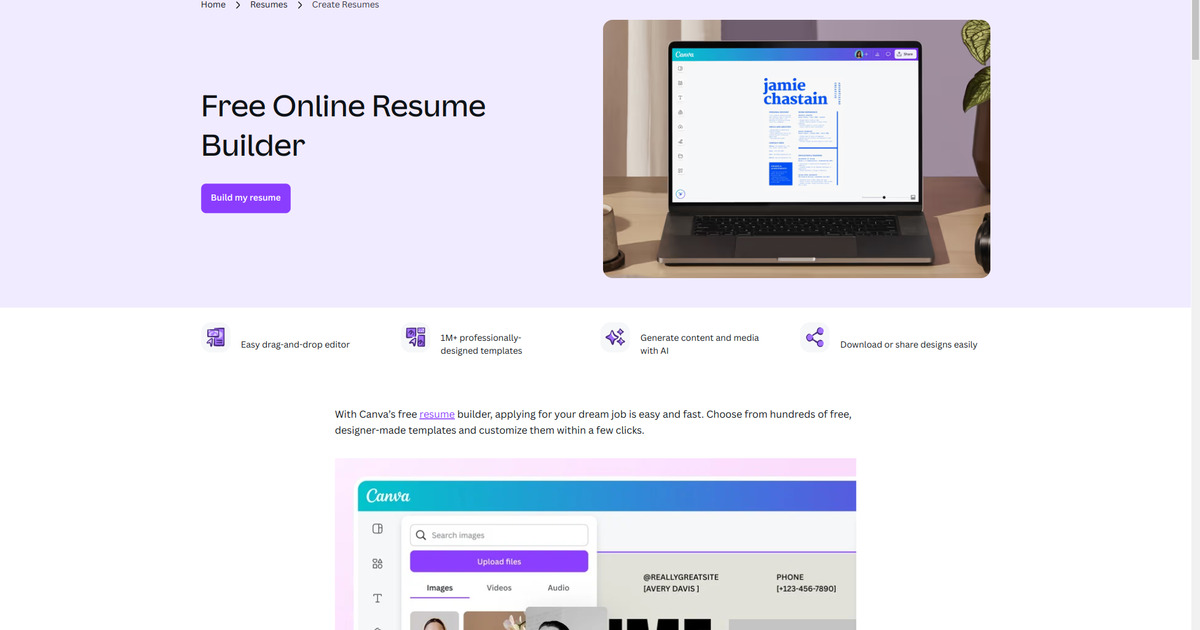
Canva Resume Builder Review
Criteria Ratings for Canva Resume Builder
Canva for resumes excels in design and usability but faces challenges with ATS reliability, making it polarizing for strict job application pipelines. I've calculated an overall score as a simple average (3.8/5).
Ratings reflect a balance: high for visuals and ease, moderate for ATS and value due to paid upgrades for full AI/premium access.
1. Core Functionality
These assess resume creation and optimization capabilities.AI Capabilities and Content Generation: 4/5
Strong with Magic Studio/Magic Write for generating drafts, bullet points, and tailored text from prompts. Effective for brainstorming but may require refinements to avoid generic outputs; limited in free tier.ATS Compatibility and Optimization: 3/5
Improved with dedicated ATS-friendly templates (e.g., single-column, minimal graphics), but many default designs use text boxes/columns that fail parsing. Users report workarounds like exporting to Word, but it's not seamless for high-volume applications.Template Quality and Design Options: 5/5
Vast library (over 1M templates, including industry-specific and modern designs) with professional, visually appealing options. Excellent for creative roles, though some are overly flashy for conservative fields.Customization and Flexibility: 5/5
Drag-and-drop editor allows easy adjustments to layouts, colors, fonts, and sections; supports multiple versions and LinkedIn-style imports indirectly via design tools.
2. Usability
Focus on user experience for beginners and pros.Ease of Use and Interface: 5/5
Intuitive drag-and-drop workflow with step-by-step guidance; praised for speed and simplicity, even for non-designers.Mobile Compatibility: 4/5
Canva's app supports resume editing on mobile, with responsive design for on-the-go tweaks, though complex customizations work better on desktop. Not explicitly highlighted in resume-specific pages, but overall platform is mobile-friendly.
3. Value and Pricing
Evaluate cost relative to features.Pricing Transparency and Affordability: 4/5
Clear tiers: Free for basics, Pro at ~$10/mo ($120/year), Teams at $100/year per person (min 3). Trials available, but recent AI-tied increases for Teams drew criticism; no hidden fees, though premium assets push upgrades.Overall Value for Money: 4/5
Free tier suffices for simple resumes, but Pro unlocks full AI and premium templates—worth it for creatives needing visuals, less so for ATS-focused users who might prefer cheaper alternatives.
4. Additional Factors
Cover support, ethics, and extras.Customer Support and Resources: 4/5
Includes tutorials, community forums, and responsive chat; resume tips via blog and templates. Testimonials highlight helpfulness, though no dedicated resume hotline.Integration Capabilities: 3/5
Limited direct integrations (e.g., no built-in job board uploads), but exports to PDF/Word and works within Canva's ecosystem for branding/portfolio linking.Accuracy and Reliability: 3/5
AI outputs are reliable for creative content but can be biased toward aesthetics over strategy; ATS parsing varies by template choice, with mixed real-world success.Security and Privacy: 4/5
SOC 2 Type II and ISO 27001 compliance (especially in paid plans); data encryption and privacy policies are standard, with no major breaches reported recently.
Overall Rating: 3.8/5
This positions Canva as a top choice for design-oriented resumes (e.g., marketing, UX) but mid-tier for ATS-heavy fields like tech or finance. If your directory prioritizes ATS, downgrade to ~3.0; for usability/creativity, it's closer to 4.5. Community sentiment on Reddit and X emphasizes sticking to ATS-safe templates for best results.
Table of Contents
Compare with Similar Tools
| Criteria | Canva Resume Builder(Current) | Resume Haveloc | Enhancv |
|---|---|---|---|
| Overall Rating | 4.0/5 | 4.3/5 | |
| AI Capabilities and Content Generation | 4.0/5 | 2.0/5 | |
| ATS Compatibility and Optimization | 3.0/5 | 4.0/5 | 5.0/5 |
| Template Quality and Design Options | 5.0/5 | 4.0/5 | |
| Customization and Flexibility | 5.0/5 | 5.0/5 | |
| Ease of Use and Interface | 5.0/5 | 5.0/5 | |
| Mobile Compatibility | 4.0/5 | 4.0/5 | 3.0/5 |
| Pricing Transparency and Affordability | 4.0/5 | 5.0/5 | 4.0/5 |
| Overall Value for Money | 4.0/5 | 4.2/5 | 4.0/5 |
| Customer Support and Resources | 4.0/5 | 3.0/5 | |
| Integration Capabilities | 3.0/5 | 4.0/5 | |
| Accuracy and Reliability | 3.0/5 | 4.1/5 | 4.0/5 |
| Security and Privacy | 4.0/5 |